The Zoom Interview Cheat Sheet: What to Put On It (2026)
Published 2026-10-12 · 8 min read
A Zoom interview cheat sheet should fit on one page: four to six one-line STAR story triggers, the numbers from your own resume, three written-out questions for the interviewer, the job post's exact keywords, and logistics (names, role title, your salary range). Big type, short bullets, placed near the camera. Everything else belongs in your head or nowhere.
The video round isn't going anywhere, so the sheet is worth building well. In a Gartner survey from April 2020, 86% of organizations were conducting virtual interviews, and Gartner's Lauren Smith said video interviewing "now is the norm for all candidates."
A disclosure before the list: I created GlideRail, a conversation rail for Mac, and it appears in the back half of this guide. The sheet itself needs no app, and most of this post is about what to write on it.
What goes on the sheet
A cheat sheet needs exactly five sections: STAR story triggers, your resume's numbers, written-out questions for the interviewer, the job post's own keywords, and logistics. If yours has more, you're writing a document, not a cheat sheet.
1. Four to six STAR bullets. Behavioral questions ("tell me about a time") are the spine of most interviews, and MIT's career center teaches the STAR shape for answering them: situation, task, action, result, with the action as the longest part. Don't write the stories out. Write one line per story:
Migration story: legacy CRM, six weeks, zero downtime, saved the renewal.
The bullet is a trigger, not a script. You already know the story; the sheet's only job is to surface the right one while your heart rate is up. One strong story stretches across themes: the same project can answer the leadership question, the conflict question, and the failure question.
2. Your numbers. Every claim on your resume, as plain digits: team size, budget owned, the growth percentage, quota attainment, users shipped to. You wrote those numbers months ago. Under pressure they evaporate, and "I don't remember exactly, maybe, roughly..." lands terribly on a figure you put on paper yourself.
3. Three questions for them, written out in full. This is the one section you may read verbatim. "I wrote down a couple of questions" is a normal (even good) thing to say out loud. Harvard Business Review's 38 smart questions to ask in a job interview is a solid quarry; pick three that only make sense for this company.
4. The job post's own words. Five to eight phrases the listing repeats. If they say "cross-functional" four times, that word belongs in your answers. The interviewer wrote or approved that language, so mirror it.
5. Logistics. Interviewer names with pronunciation, their titles, the role title exactly as they word it, time-zone math, your salary range, and your one-line answer to "why us."
What to leave off
Leave off full written answers, long lists of anticipated questions, and the company essay. The test is the two-second glance: if a section can't be absorbed in one look mid-conversation, it doesn't belong on the sheet.
Full written answers. You will read them, and a paragraph read aloud sounds exactly like a paragraph read aloud. Bullets force you to speak in your own voice. (That failure mode has its own post: how to stop sounding like you're reading.)
Fifty anticipated questions. A wall of text you can't scan in the two seconds a glance buys you is worse than nothing: it eats the glance and gives back panic.
The company essay. One line of "why them." If you need the sheet to remember what the company does, the sheet isn't the problem.
One honest exclusion: some people interview worse with notes. If a sheet makes you stiff and script-bound, rehearse out loud until the stories are yours, and bring nothing but the questions section.
Layout and placement: glance, don't read
- One page or one screen. There is no page two.
- Bullets under seven words. Trigger words, not sentences.
- Type big enough to read without leaning in. Leaning in is the tell.
- Put it next to the lens. Directly under or beside the webcam. A glance an inch from the camera reads as thinking; a long look at the bottom corner of your screen reads as reading.
- Hide self-view. Your own face is a magnet for your eyes. Zoom lets you hide it while others still see you.
Paper works. Print the sheet in big type and tape it right next to the webcam: it's the oldest trick in remote interviewing and it costs nothing. Its limits are physical. You can't edit it mid-call, and a sheet lying flat on the desk pulls your eyes all the way down out of the frame. Tape it high.
The screen-share moment
Some interviews include a screen share: walk us through your portfolio, your code, a quick exercise. The notes doc parked behind your Zoom window is suddenly one click from the audience. When you control the share, share a single window instead of your entire desktop; Zoom, Meet, and Teams all allow it, and your notes stay off-share.
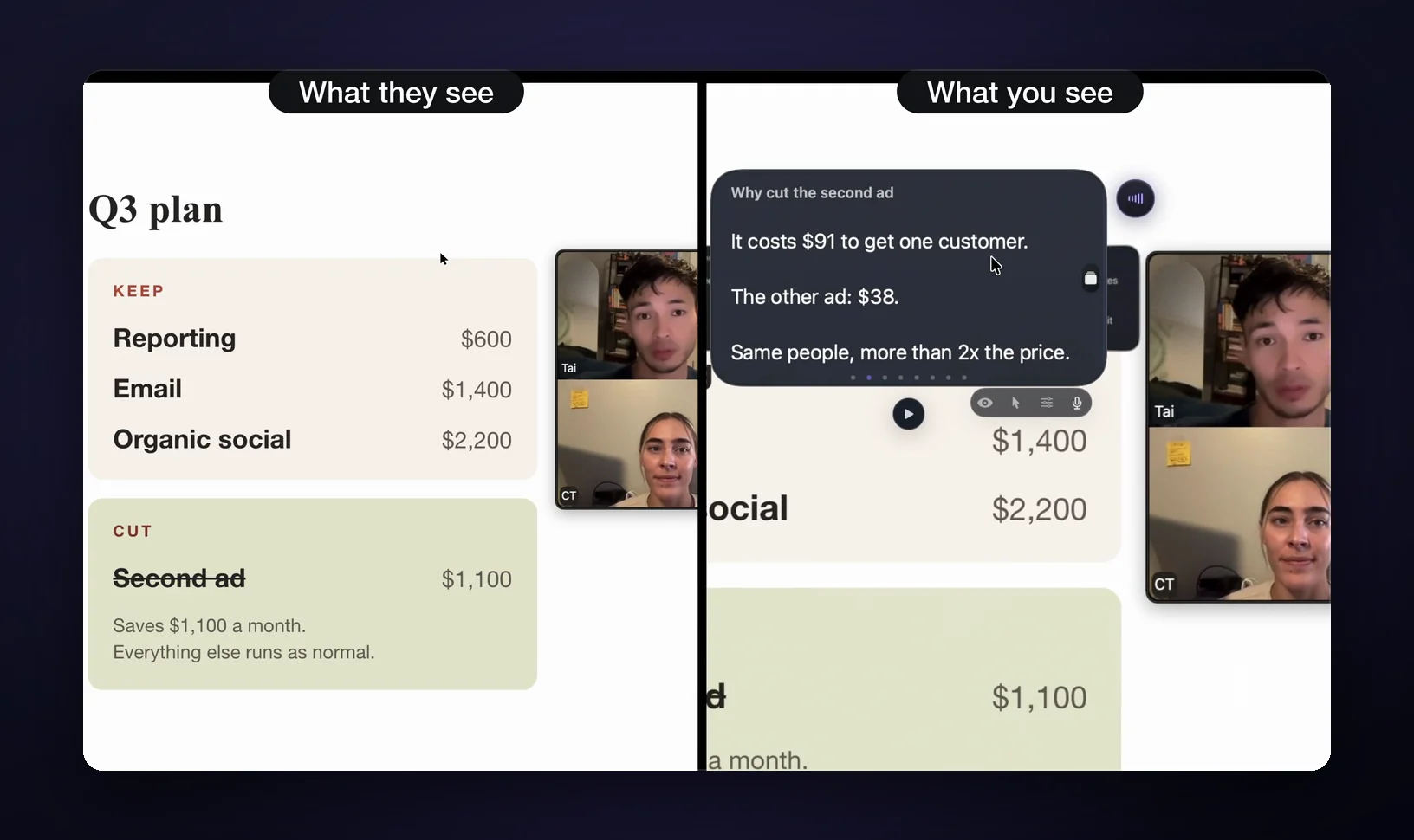
But panel setups and technical rounds often want the whole screen, and that's the moment every on-screen document fails at once. Paper survives it. So do notes that screen capture can't see: GlideRail, a conversation rail for Mac whose windows are invisible to screen capture, stays out of Zoom's live shares and recordings (with Zoom's screen capture mode set to "Advanced capture with window filtering," under Settings, Share Screen, Advanced). The invisibility is a Pro feature, and worth knowing about before the moment arrives.
Is a cheat sheet cheating?
No, with one line drawn honestly. Your interviewer is working from notes: your resume, a question list, a scorecard. A sheet holding your own stories, your own numbers, and questions you wrote yourself is preparation, and every candidate is allowed to prepare. A live AI that listens to the question and writes your answer is a different thing: you're performing someone else's thinking in real time, and the gap tends to show the moment a follow-up leaves the script. The longer version, gray areas included, is in is it cheating to use notes in a Zoom interview.
Where the sheet should live
Only two homes for the sheet combine a good eye-line with surviving a screen share: paper taped beside the webcam, and a capture-invisible floating note at the lens. A doc behind the Zoom window, a phone on the desk, and a second monitor each fail one of the two.
| Where your notes live | Eye-line | Survives "share your screen" | Mid-call edits | Cost |
|---|---|---|---|---|
| Paper taped by the webcam | Good, right at the lens | Yes | Pen | Free |
| Doc behind the Zoom window | Eyes drop to find it | No | Yes | Free |
| Phone on the desk | Eyes leave the frame | Yes | Fiddly | Free |
| Second monitor | Sideways glances | Only if you share the other screen | Yes | Hardware |
| GlideRail window at the lens | At the lens | Yes, invisible to capture (Pro) | Yes | $99/yr, $19.99/mo, or $249 once |
Where the app version earns it
Paper covers most interviews. The app version earns its place in three spots, and the full breakdown is on interview notes for Mac.
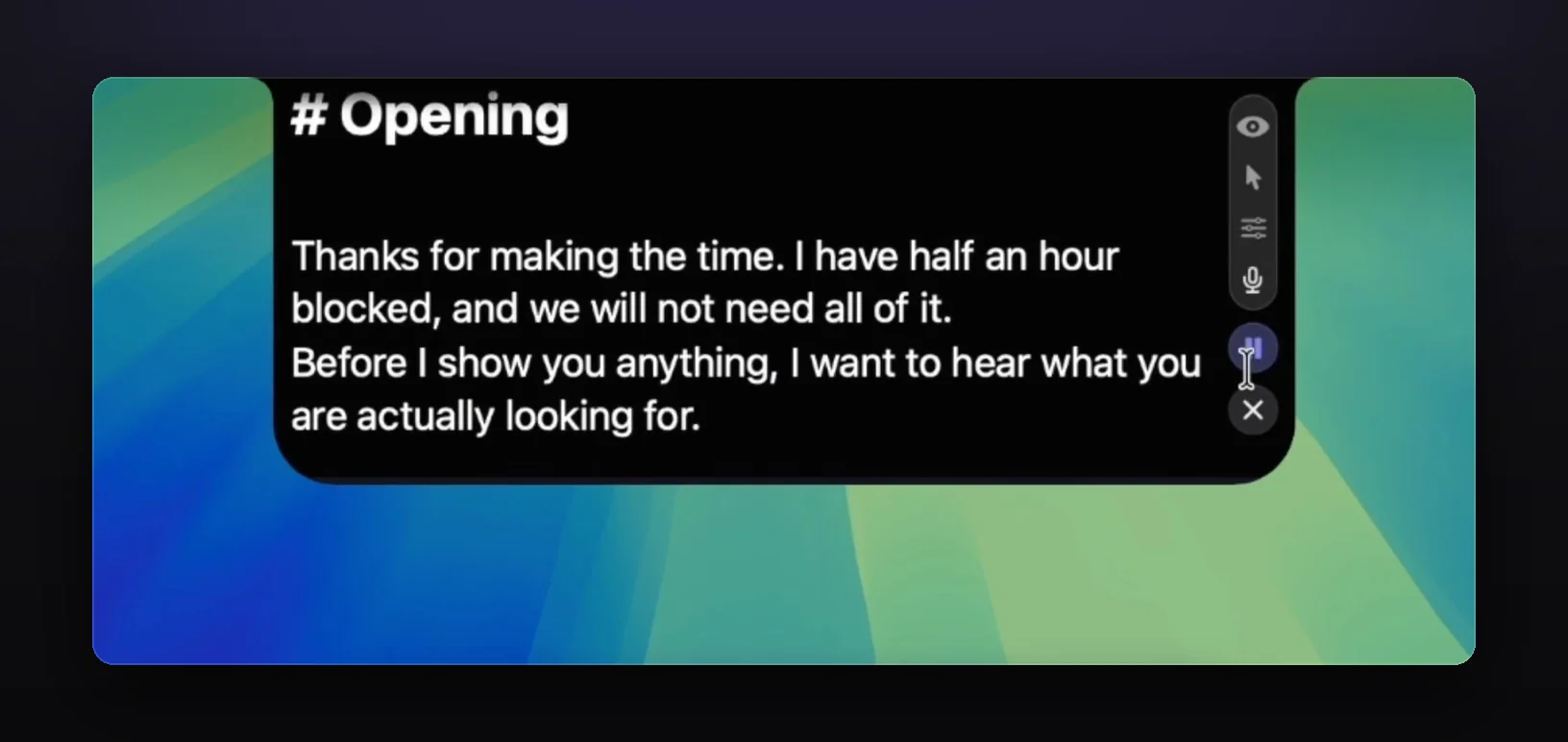
Eye-line is the first. A floating note sits wherever you drag it, including flush against the camera, so your bullets and the lens occupy the same inch of screen.
The share is the second: GlideRail Pro windows are invisible to Zoom, Meet, Teams, and screen recordings, so when "can you share your screen?" arrives, you share the whole screen and your notes simply aren't in it. (On Zoom, set the screen capture mode to "Advanced capture with window filtering" once, before the interview.)
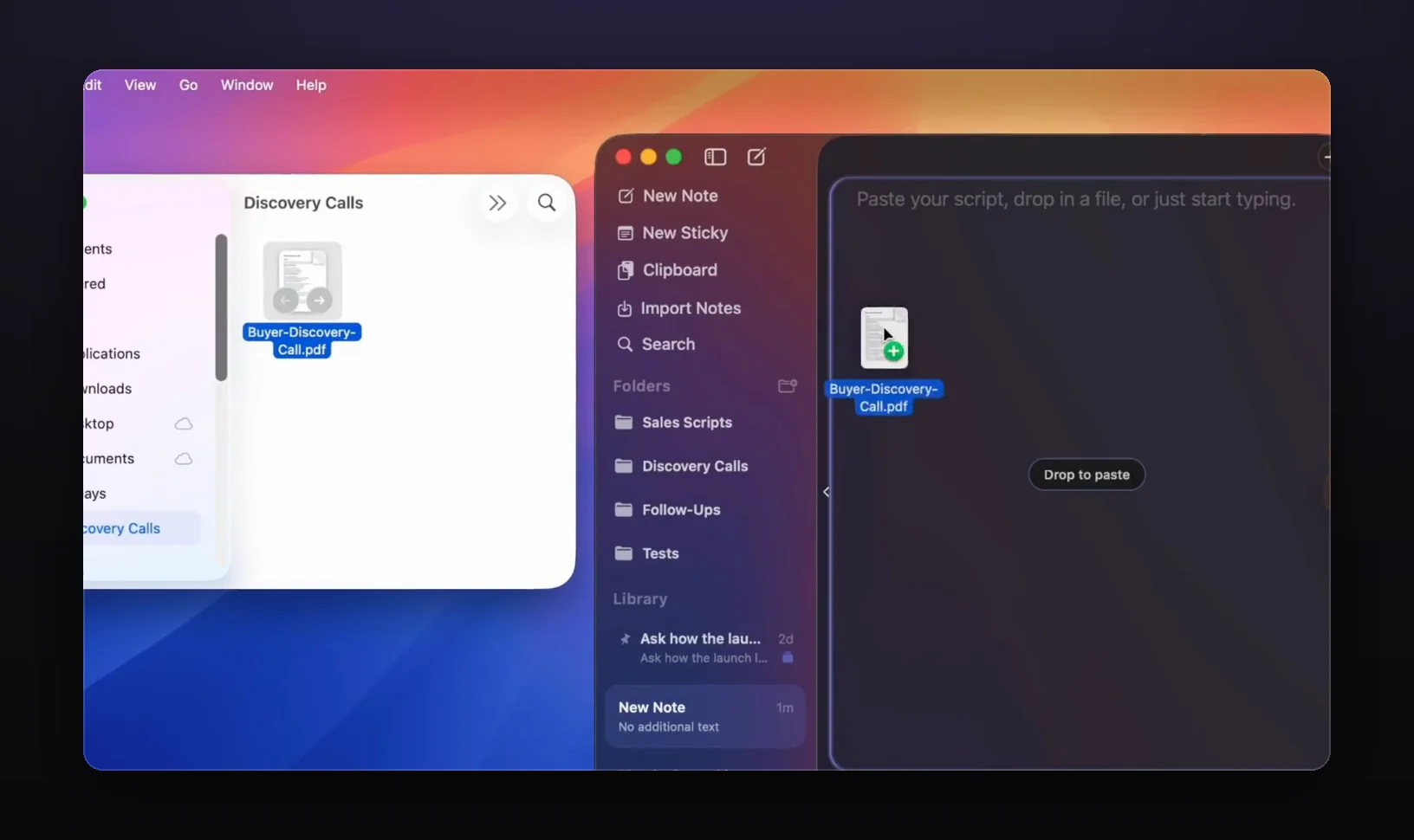
The third is between rounds. Recruiter screen at 10, hiring manager at 2: add the recruiter's phrasing, reorder your stories, paste in the take-home brief, and the second-round sheet takes five minutes. Drag your existing prep doc straight in; .docx and .pdf import is free.
The honest split: the free version gives you unlimited notes, the full editor and two floating windows, but free windows are visible in shares. Invisibility is Pro: $99/yr, $19.99/mo, or $249 once, with a 7-day free Pro trial. A phone camera pointed at your screen still sees everything, and an in-person interview is paper territory. Know the tool's edges.
FAQ
Can interviewers tell if you're reading notes on Zoom?
They can tell when you read: eyes tracking line by line, cadence flattening, answers arriving in written English. They generally can't distinguish a one-second glance at a bullet near the lens from a thinking pause. The fix is fewer words placed higher on the screen, not zero notes.
Is it unprofessional to use notes in a job interview?
No. Your interviewer is holding notes: your resume, a question list, a scorecard. Short reference notes are normal preparation for a remote interview. What reads badly is reading: full sentences delivered in document voice. Keep bullets on the sheet and build the sentences out loud.
What should I put on an interview cheat sheet?
Four to six one-line STAR story triggers, the numbers from your resume, three fully written questions for the interviewer, the job post's recurring keywords, and logistics: names with pronunciation, the role title, your salary range. One page, big type, bullets under seven words each.
Where should I put my notes during a Zoom interview?
As close to the webcam as you can get them: taped beside it on paper, or floated directly under it on screen. Hide self-view so your own face stops pulling your eyes. Notes at the bottom of the screen or on a second monitor produce visible gaze drops.
What if the interviewer asks me to share my screen?
Share a single window instead of your desktop when you're given the choice (it's built into Zoom, Meet, and Teams). If the round demands your full screen, paper survives, and so does GlideRail: its windows aren't captured by screen shares or recordings (on Zoom, with "Advanced capture with window filtering" on). That invisibility is Pro; free windows are visible.
Build the sheet tonight
Download GlideRail free and write your five sections now, while the job post is still up. The free version is free forever. Start the 7-day free Pro trial the week of the interview, so invisibility is on for the real thing, and if you buy, there's a 30-day money-back guarantee. If a screen share is likely, how to share your screen without showing your notes covers it step by step.
Written by Takumi Mitchell, maker of GlideRail. Last updated October 12, 2026.