GlideRail vs CueNotch: An Honest CueNotch Alternative for Mac
Updated 2026-10-03 · 6 min read · Competitor facts last checked 2026-10-03
Short answer: CueNotch is the cheaper, simpler pick: a notch teleprompter for $29.99 once, with voice scrolling, AI rewriting and a rehearsal coach. GlideRail costs more and is a different kind of app: a full notes workspace whose windows float anywhere, stay invisible to screen sharing, and bring up the right card when the other person raises a topic. Both hide from Zoom, Meet and Teams.
CueNotch puts one box of text in the notch, next to your camera. GlideRail gives you a notes workspace you can put anywhere. That's the whole decision in one line; the rest of this page is the detail, so you can check it against how you actually work.
First, the bias: I make GlideRail
I built GlideRail, so treat this page as a maker's view. To earn the read, every CueNotch fact below comes from cuenotch.com, its privacy policy or its Mac App Store listing, checked on October 3, 2026. CueNotch's wins come first, and they're real. Where I couldn't confirm something, I say "not advertised" rather than guess.
Where CueNotch wins
Price. CueNotch Pro is $29.99, once. GlideRail Pro is $99 a year ($8.25 a month, billed yearly), $19.99 a month, or $249 for a lifetime license. If the cheapest permanent license decides it, CueNotch wins. (CueNotch also sells Pro at $7.99 a week, added in August 2026. Four weeks of that costs more than its own lifetime license.)
A free tier with the prompter in it. CueNotch free gives you 3 teleprompter sessions a day with notes up to 100 words, and voice scrolling is included. That's a short intro every day for $0. Its Pro trial lasts 3 days and doesn't renew on its own.
The Mac App Store. CueNotch installs from the App Store, with Apple's billing and refunds. GlideRail is a direct download. Some people, and some IT departments, only install from the store.
AI extras. Magic Polish rewrites your notes, and CueNotch's privacy policy says it runs on your Mac, using Apple Intelligence where available. Practice mode uses your camera to give feedback on pace, pauses, posture and framing. There's also AutoCaption for live captions, a Memorize Mode and a presentation timer. GlideRail has none of these, on purpose: nothing in it writes or rewrites your words.
Intel Macs and languages. CueNotch lists support for Apple Silicon and Intel, and its App Store page lists 10 languages, including right-to-left scripts. GlideRail runs on any Mac with macOS 14, but its voice features need Apple Silicon.
What both apps do: the table stakes
Hiding from screen sharing isn't a difference anymore. CueNotch's Ghost Mode (Pro) hides it from Zoom, Meet, Teams, Loom, OBS and recordings. GlideRail's windows stay out of the same apps when invisibility is on (also Pro; on Zoom, with the one setting in the Zoom guide). Both follow your voice on-device. Both keep a library of notes in folders and import your existing documents.
| CueNotch | GlideRail | |
|---|---|---|
| Price | $29.99 lifetime, or $7.99 a week | $99/yr, $19.99/mo, or $249 once |
| Free tier | 3 sessions a day, notes up to 100 words | Full notes app, unlimited notes; windows visible in shares |
| Trial | 3 days of Pro | 7 days of Pro |
| Hidden from Zoom, Meet, Teams | Yes (Ghost Mode, Pro) | Yes (Pro) |
| Follows your voice | Voice scrolling, on-device | Voice Follow, on-device (Apple Silicon) |
| Reacts to the other person | Not advertised | Live Rail offers the matching card (Apple Silicon) |
| AI writing help | Magic Polish, Practice coach | None, by design |
| Where the text sits | The notch, or a top-center overlay | Anywhere, on any screen; several windows and sticky notes |
| Click through to the app below | Not advertised | Yes (⇧⌘E), with a hover View Lens |
| Import | TXT, Markdown, Word, PDF, PowerPoint | TXT, Markdown, RTF, Word, Pages, HTML, PDF, images (OCR), Evernote |
| Account | Required (email or Sign in with Apple) | None |
| Runs on | macOS 14+, Apple Silicon and Intel | macOS 14+; voice features need Apple Silicon |
| Install | Mac App Store | Direct download |
Where GlideRail wins: your notes go where you look
CueNotch is a bet on one spot: your words sit in the notch, next to the camera. For one take at your laptop, that's a good bet.
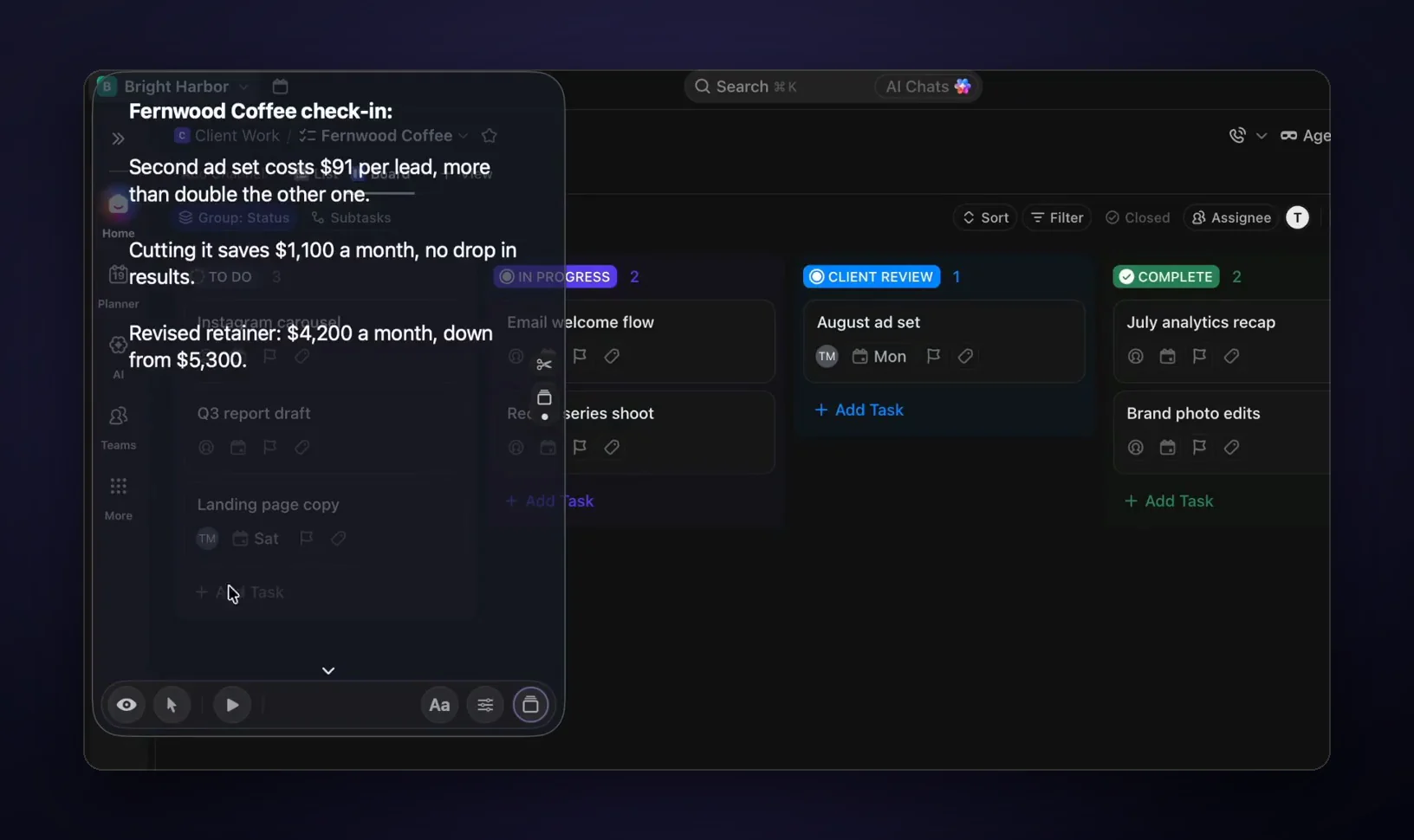
GlideRail bets on placement instead. Windows float anywhere: beside the window you're sharing, on an external monitor right under the webcam, stretched tall next to your slides. Open several at once, scatter sticky notes around a demo, and hide everything with ⌘'. If you like the notch, GlideRail has a Notch Mode too.
Then there's click-through. Press ⇧⌘E and the notes window lets your clicks pass to the app underneath, so you can drive a live demo straight through your notes.
Where GlideRail wins: it follows the conversation, not just your reading
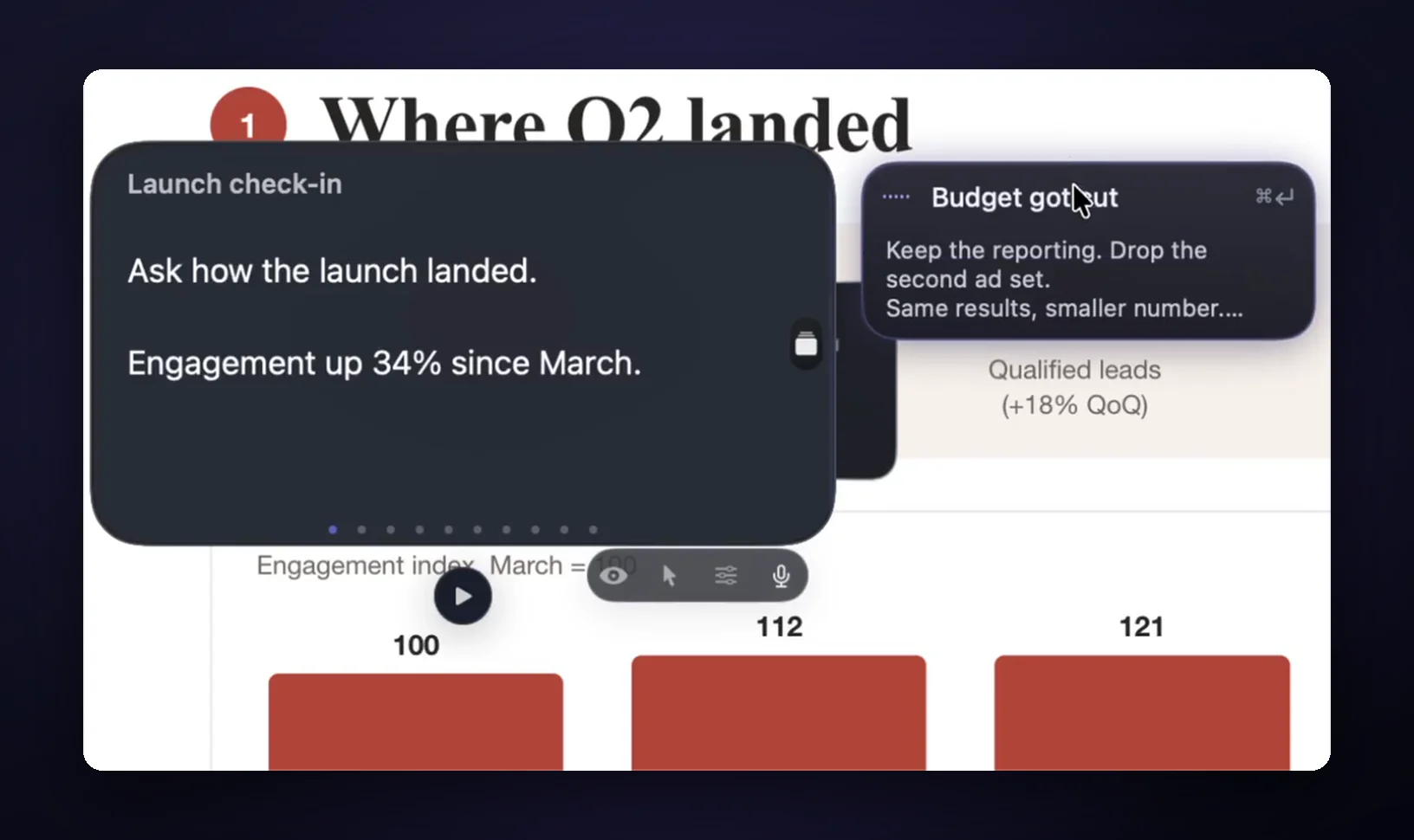
Voice scrolling, in CueNotch and in GlideRail's Voice Follow, tracks your place while you read aloud. That helps with a monologue. Live calls aren't monologues: the client asks about price while you're still on your intro.
GlideRail's Cue Mode (Pro) turns your sections into cards you jump between. Live Rail (Pro, Apple Silicon) listens to both sides of the call on your Mac, your microphone and the call audio, and when someone says words that match one of your headings, it offers that card. One click jumps. It never moves on its own.
Where GlideRail wins: it's a notes app first, with no account
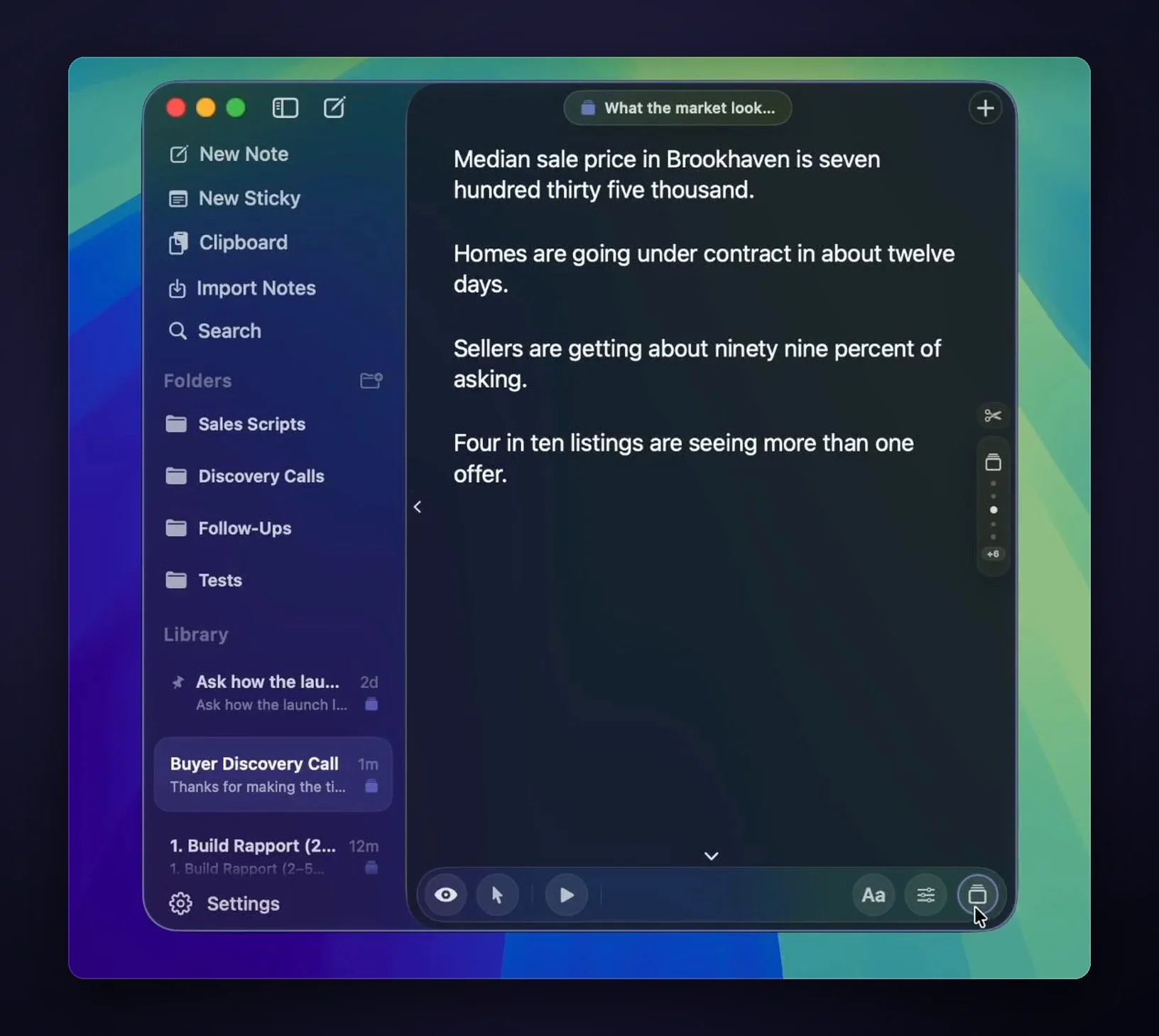
GlideRail free is a real notes app: unlimited notes, a rich editor with tables and checklists, folders, two windows, export to Markdown or PDF. Pro makes it invisible. And there's nothing to sign up for. CueNotch's privacy policy says it needs an account and sends a device identifier to its servers for license, trial and daily-limit checks. GlideRail stores your notes as files on your Mac, with no account at all.
The flaws on our side
- We cost more. If price decides it, CueNotch wins.
- Invisibility is Pro. GlideRail's free windows are visible in screen shares.
- Voice needs Apple Silicon. On an Intel Mac you get cards and manual auto-scroll, nothing that listens.
- No AI writing help, no rehearsal coach, no captions. If you want those, that's CueNotch.
- Not on the App Store. Direct download only.
And one limit we share: a phone camera pointed at your screen sees everything, in both apps. No software beats a lens.
Verdict
Pick CueNotch if you record short takes at your laptop, want the cheapest lifetime license, prefer App Store billing, use an Intel Mac, or want AI rewriting and rehearsal feedback. Its free tier lets you prove that today.
Pick GlideRail if your calls are live and jump around, you demo software while you talk, you use an external monitor, you have existing notes to bring in, or you'd rather not make an account. The notes app is free to download, and the 7-day Pro trial is best spent on a real call. Run CueNotch's free tier the same week and keep the one you reach for.
FAQ
Is GlideRail a good CueNotch alternative?
It is if your notes need to do more than scroll by the camera. GlideRail floats anywhere on any screen, lets you click through to the app you're demoing, and offers the right cue card when the other person raises a topic (Apple Silicon). If you mainly want a cheap prompter in the notch, CueNotch is the better buy.
Is CueNotch cheaper than GlideRail?
Yes. CueNotch Pro is $29.99 once, or $7.99 a week. GlideRail Pro is $99 a year, $19.99 a month, or $249 once. GlideRail's price pays for the workspace: several windows, sticky notes, click-through, imports and a full editor.
Do both apps hide from Zoom, Meet and Teams?
Yes. CueNotch's Ghost Mode and GlideRail's invisible windows both stay out of Zoom, Google Meet, Microsoft Teams, Loom, OBS and screen recordings. In both apps it's a Pro feature. Neither can hide from a camera pointed at your screen.
Does CueNotch need an account?
Yes. Its privacy policy says you sign in with email or Sign in with Apple, and a device identifier is sent to its servers for license and trial checks. GlideRail needs no account.
Does GlideRail's voice following work on Intel Macs?
No. Live Rail and Voice Follow need Apple Silicon. On an Intel Mac you get cue cards and auto-scroll at the speed you set. CueNotch lists Intel support.
Written by Takumi Mitchell, maker of GlideRail. Competitor facts checked October 3, 2026.