Sales Call Script: A Template for Booked Video Calls
Published 2026-11-05 · 8 min read
A good sales call script for a booked video call is a list of short prompts in order, and you don't read it aloud. It has nine parts: open, agenda, their problem, what it costs them, recap, your answer, proof, price and next step. The template below gives a first line for each. Copy it, fill in the brackets, and cut what you don't need.
Most scripts you'll find under this search are for cold calls. This one is for the call after someone booked time with you, so they already know why you're talking.
One disclosure: I created GlideRail, a conversation rail for Mac whose windows are invisible to screen capture. It comes up in the second half. The script works on paper.
- The script at a glance
- The sales call script, step by step
- How do you use a script without sounding like you're reading?
- Copy the script as cards
- Which setup should you pick?
The script at a glance
The times are a starting point for a 30-minute call. Move them around, but keep the order: nothing about your offer comes up until step 6, because until then you don't know which part of it matters to them.
| Step | Minutes | What it's for |
|---|---|---|
| 1. Open | 1 | Find out why they booked |
| 2. Agenda | 1 | Agree on the plan and the end time |
| 3. Their problem | 8 | Hear it in their words |
| 4. What it costs them | 4 | Get a number from them |
| 5. Recap | 1 | Prove you listened |
| 6. Your answer | 8 | Show only what fits that problem |
| 7. Proof | 2 | One real result |
| 8. Price | 2 | Say it, then stop talking |
| 9. Next step | 3 | Book it before you hang up |
The sales call script, step by step
These lines are prompts to put in your own words. The brackets are yours to fill in before the call.
1. Open
"Thanks for making the time. Before I jump in, what made you book this?"
Their answer tells you more than anything you could have prepared, and it gets them talking in the first minute.
2. Agenda
"I was thinking I'd ask about [their situation], show you how we'd handle it, and we'll see if a next step makes sense. We've got until [time]. Anything you want to add?"
Saying the end time out loud matters on video. People relax when they know you won't run over.
3. Their problem
"Walk me through how you handle [the job] today."
"What's the hardest part of that?"
"What have you already tried?"
Stay here longer than feels comfortable. For a fuller set, the discovery call questions are free to copy.
4. What it costs them
"What does that cost you in a month, in time or money?"
"What happens if nothing changes for six months?"
Write their number down. You'll need it at step 8, and it counts for more than any number you could bring.
5. Recap
"So you're doing [what they do], it's costing you [their number], and you want [their outcome] by [their date]. Did I get that right?"
If they correct you, good. You just avoided pitching the wrong thing.
6. Your answer
"Based on that, here's where I'd start: [the one thing]."
Show or explain only what fits what they just told you. Selling a product? Use the first product demo cards. Selling a service? The scoping call cards go deeper on this step.
7. Proof
"[Customer type] went from [before] to [after] in [time]."
Use one result that's true and close to their situation. If you don't have one yet, say what you've done and offer a smaller first step. Don't stretch a result to fit.
8. Price
"It's [price] for [scope]. Against the [their number] you mentioned, how does that sit with you?"
Then stop talking. If they push back, ask one question before you answer. The 10 common sales objections each come with the question to ask back.
9. Next step
"Who else would weigh in on this?"
"What should happen next on your side?"
"I've got [day] or [day]. Which works?"
If someone else decides, the next step is a call with them on it. Put it in the calendar while you're both on the call. "I'll follow up" isn't a next step.
How do you use a script without sounding like you're reading?
You use it as a map: read the prompt, look up, and say it your way. Buyers can hear a sentence being read, and on video they can also see your eyes tracking across it.
Three things help:
- Keep each prompt short. Three lines at most. If you can't take it in at a glance, you'll end up reading it.
- Say it aloud twice before the call. Change any word you wouldn't say to a friend.
- Use their words, not yours. Once they've said "the Monday report", don't call it "your reporting workflow".
Questions do the other half of the work, because they hand the call back. In Gong's review of 326K sales calls of at least 10 minutes, reps averaged 60% talking to 40% listening, and reps on closed-won deals talked a little less, at 57%. It's a small gap, but it points the same way as this script: steps 1 to 4 are nearly all questions.
Copy the script as cards
The script fits on one page, so paper by the keyboard is a fine start. Paper has one limit: your eyes drop away from the camera every time you check it. A doc on your screen has a different problem, because it shows up the moment you share your whole screen, price and all.
Here's the same script with one heading per step:
# Sales call

# Why did you book?
Thanks for making the time
What made you book this?

# Agenda
Ask about [their situation], show how we'd handle it, see if a next step makes sense
We've got until [time]. Anything to add?

# Their problem
How do you handle [the job] today?
What's the hardest part?
What have you already tried?

# What it costs them
What does that cost in a month?
What if nothing changes for six months?
Write down their number

# Recap
You're doing [X], it costs [their number], you want [outcome] by [date]
Did I get that right?

# Where I'd start
Based on that, I'd start with [the one thing]
Show only what fits

# Proof
[Customer type] went from [before] to [after] in [time]

# What does it cost?
[price] for [scope]
Against [their number], how does that sit?
Stop talking

# Next step
Who else would weigh in on this?
What should happen next on your side?
I've got [day] or [day]. Which works?
Paste that into a new note in GlideRail and it offers to split the text. Press Split into sections: the first heading becomes the note's name, and every other heading becomes its own card. Cue Mode (Pro) then shows one card at a time beside your camera. Move through them with a two-finger swipe, or with ⌘[ and ⌘], which work from any app while Cue Mode is open, so your product or your slides can stay in front.
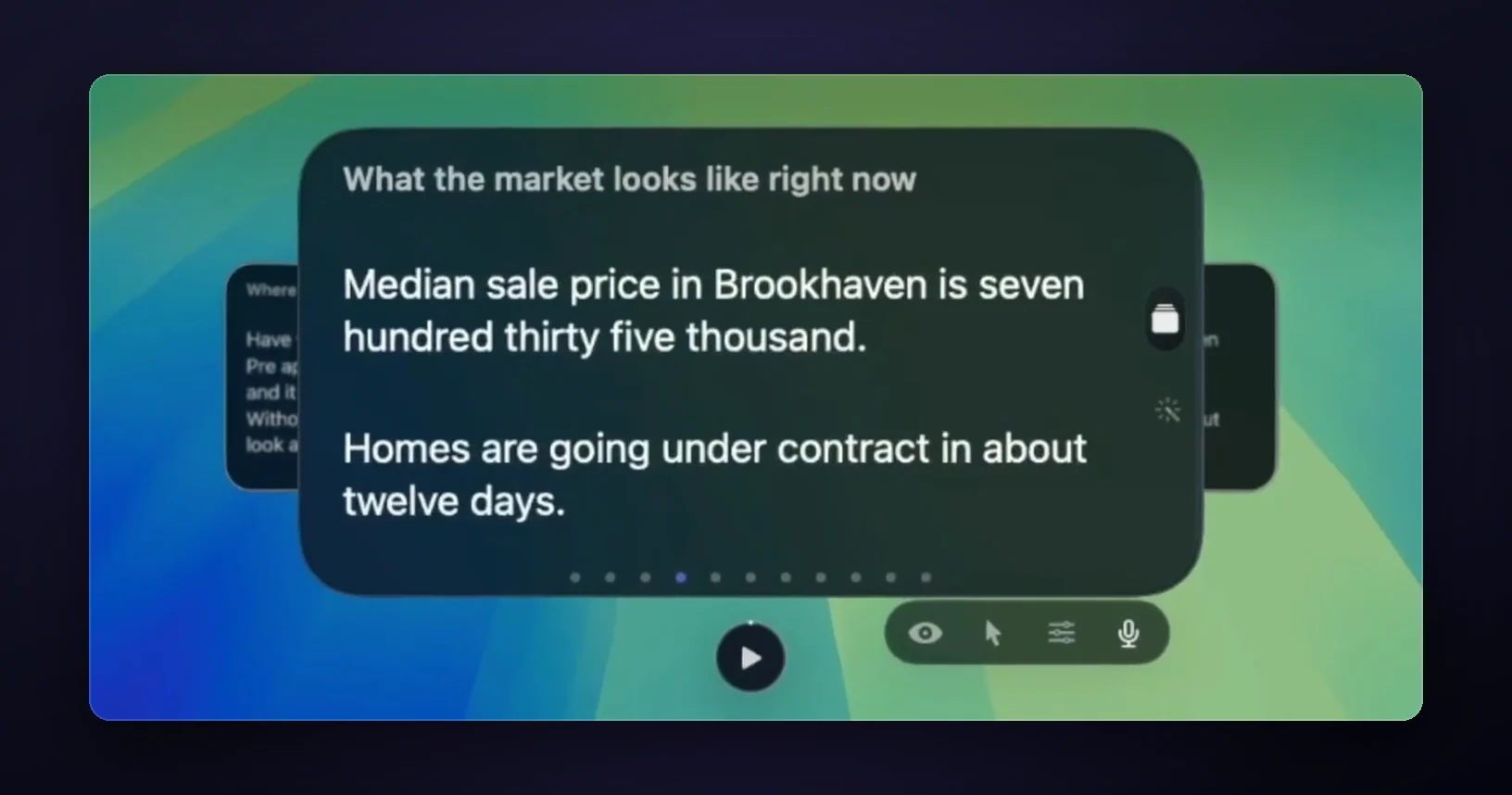
If you share your whole screen, turn on Invisible first (also Pro) and the share leaves the cards out. On Zoom, set Settings, Share Screen, Advanced, Screen capture mode to "Advanced capture with window filtering" first, as this Zoom guide shows. A camera pointed at your screen still sees the cards, of course.
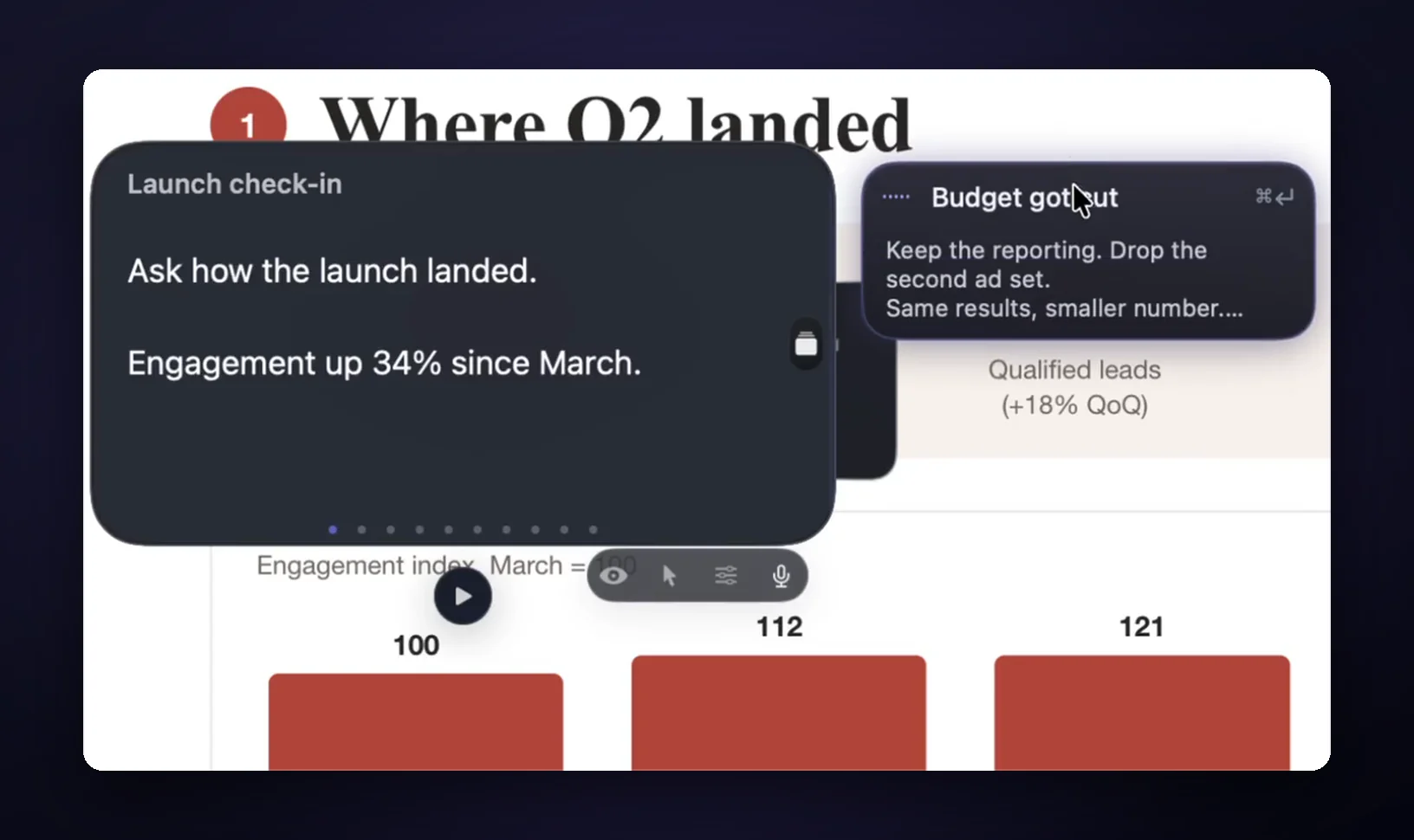
Calls don't stay in order, and that's what Live Rail (Pro, Apple Silicon Macs) is for. It listens on your Mac for words that match your card headings, so name cards the way a buyer would say it, like "What does it cost?" above. When the words match, that card is offered in a small chip, like the one below offering a card named "Budget got cut". One click or ⌘↩ opens it, and it never changes cards on its own.
Which setup should you pick?
It depends on how many calls you take and whether you share your screen. If you sell on video once or twice a month, print the script and keep it by your keyboard. That costs nothing.
If you never share your whole screen, a doc or any window under your camera will do, and GlideRail's free version covers that. If you share your screen on sales calls every week, you need something that stays out of the share, and that's the case GlideRail Pro is for.
FAQ
What should a sales call script include?
An opening question, an agenda, questions about their problem and what it costs them, a recap, your answer, one piece of proof, the price, and a booked next step. Everything else is optional.
How long should a sales call script be?
One page. Nine prompts of up to three lines each is enough for a 30-minute call. Anything longer turns into reading.
Should you read a sales script word for word?
No. Read the prompt, look up and say it your way. The exception is anything that has to be exact, like a price or a legal line.
Is a sales call script the same as a cold call script?
No. A cold call script has seconds to earn attention from someone who didn't expect you. A booked call already has their attention, so the script's job is to keep you asking and listening until you know what to show them.
Does GlideRail write the script for me?
No. It shows what you wrote, and it adds nothing of its own. On a live call, Live Rail only offers your own cards when the words match a heading. No audio is saved or sent anywhere.
Try it on one call
Download GlideRail free, paste the script in, and press Split into sections. Every download comes with a 7-day free Pro trial, so you can run Cue Mode on a real call, and if you buy later there's a 30-day money-back guarantee. Fill in the brackets the night before, and the next time you're on a sales call, the next step will be right by your camera.
Written by Takumi, maker of GlideRail. Last updated November 5, 2026.