How to Record Your Mac Screen Without Showing Your Notes (2026)
Published 2026-10-12 · 5 min read · Competitor facts last checked 2026-10-11
To record your whole Mac screen without showing your notes, keep the notes in an app that's invisible to screen capture. GlideRail, a Mac notes app whose windows opt out of capture, stays on your screen where you can read it, and QuickTime, Loom, and OBS record everything except it. Cropping the recording to one window only works if your demo fits in one window.
A disclosure up front: I created GlideRail. The notes app is free; invisibility is part of GlideRail Pro.
Screen recorders grab everything. That's the whole problem.
A screen recorder doesn't know your outline is private. It captures pixels, so a script in a Notes window in the top-right corner is in the file from 0:00 to the end.
And there are a lot of those files: Loom's own 2022 year-in-review counted more than 18 million users who had recorded over 215 million videos. Every screen recording among them caught whatever was on that screen.
The failure is always the same: nine minutes into your cleanest take, you spot the note in the corner of the preview. Re-record, or ship it and hope nobody looks.
How GlideRail keeps notes out of the recording
GlideRail is a Mac notes app whose windows opt out of screen capture at the system level. You record the full screen, share it, and run every app the demo needs, and the file shows everything except GlideRail. That doesn't depend on your recorder: QuickTime and the ⇧⌘5 recorder, Loom, and OBS all leave it out, and so do live shares in Meet, Teams, and Zoom (on Zoom, with its screen capture mode set to "Advanced capture with window filtering").
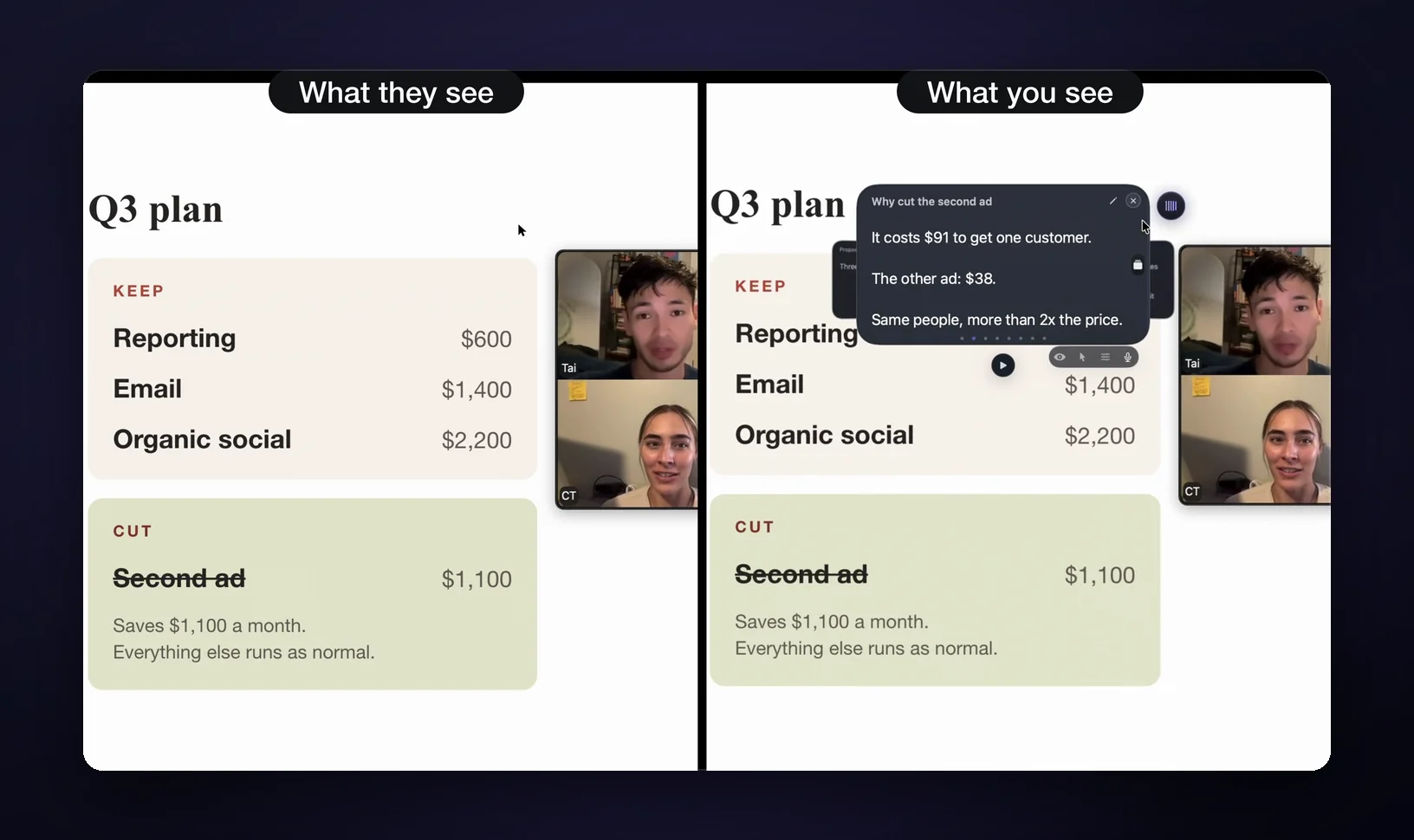
Because the recording can't see the notes, you put them where they help: at the top of the screen, right under the camera, in type big enough to read leaning back. Your eyes stay near the lens, so reading looks like talking to the viewer. You never decide what to crop out, because nothing needs cropping.
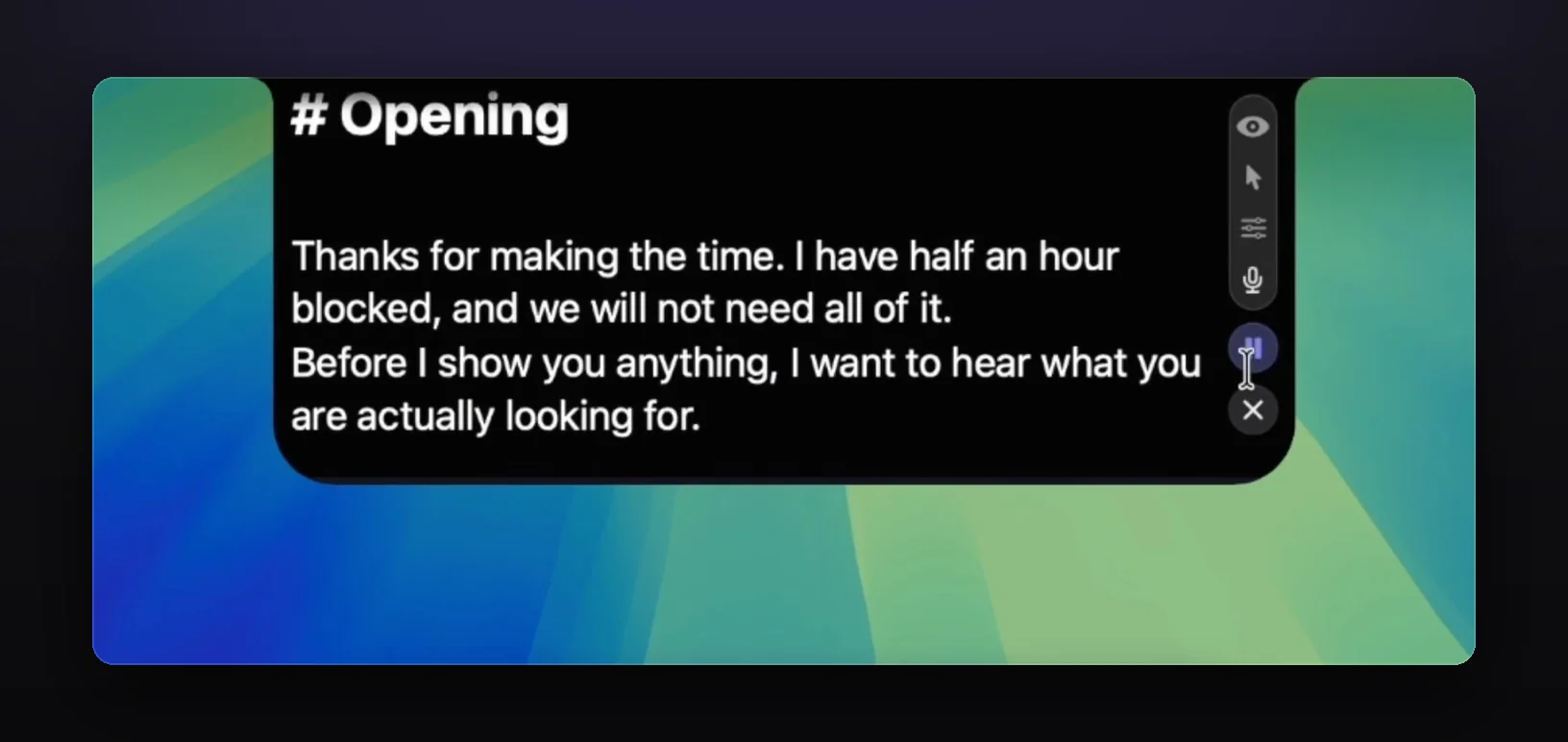
A notes app, not one scrolling box
Most prompters give you one box of text in one place. GlideRail is a full notes app built for the take:
- Drop in a .docx, .pdf, or .md file and it becomes a note (free).
- Auto-scroll at a speed from 1–20, with Space to play and pause (free).
- Cue Mode (Pro) turns a long script into cards, so you jump to the next section with ⌘1–⌘9 instead of scrolling back. On Apple Silicon Macs, Voice Follow keeps your place as you read aloud.
- Click-through (Pro) lets your clicks pass through the note to the app you're demoing.
- Open more than one note window, each one invisible.
Why recording one window isn't the fix
Mac recorders can capture a single window instead of the whole display, which keeps any notes outside that window out of the file. Apple's ⇧⌘5 toolbar offers Record Selected Window on macOS Tahoe 26 or later (per Apple), and the Loom desktop app has a Record window mode. But it only works while everything you show lives in that one window.
Real recordings break that fast:
- Your demo spans two apps (browser plus terminal, Figma plus Slack).
- You drag something between windows, and the drop happens off-camera.
- You need the desktop, a Finder window, or a notification.
- You commit at record time. Realize at minute six you need another window, and you're starting over.
Your notes also can't overlap the recorded window, so they get pushed into whatever space is left, often far from the camera. Window recording is a crop you have to get right before you press Record. GlideRail drops that decision: record the whole screen and the notes still aren't in it.
Recorder-specific setups: notes for QuickTime screen recordings, a teleprompter for Loom, and a teleprompter with OBS on a Mac.
Window recording vs. invisible notes
Window recording is free but limited to one window chosen in advance; GlideRail Pro lets you record the full screen with your notes placed at the camera.
| Record one window | GlideRail Pro | |
|---|---|---|
| Cost | Free | $99/yr, $19.99/mo, or $249 once |
| Full-screen recording | No | Yes |
| Demo across several apps | No | Yes |
| Notes near the camera | Only where the window leaves room | Anywhere, at any size |
| Breaks when | The demo leaves the window | Someone points a phone camera at your screen |
Three things to know before you rely on it
Invisibility is a Pro feature. The free version is a real notes app (unlimited notes, drag-and-drop import, auto-scroll, two windows), but its windows show up in captures like any other app. Pro is $99 a year ($8.25 a month, billed yearly), $19.99 a month, or $249 once.
The invisibility is capture-level, not optics: a phone camera pointed at your physical screen sees your notes fine.
And Zoom has one setting to check if you share live there. On some Macs, Zoom's default "Auto" screen capture mode includes the notes. Set it once in Zoom's Settings, under Share Screen, then Advanced: "Advanced capture with window filtering." Recorders like QuickTime, Loom, and OBS need nothing extra.
FAQ
If my notes float over the window I'm recording, do they show up?
In macOS's ⇧⌘5 window recording, the capture is of that window's contents, so windows stacked above it aren't part of the file. Other recorders' window modes work the same way, but test a ten-second clip before a long take. GlideRail notes stay out of full-screen recordings too, so the question goes away.
Can Loom record just part of my screen on the free plan?
Window mode, yes: it's available to all Loom users. Custom-size recording (drawing an arbitrary region) is limited to Loom's Education, Business, Business+ AI, and Enterprise plans as of October 2026. With GlideRail Pro, Loom can record the full screen and your notes still aren't in it.
Does invisibility work on live calls, or only recordings?
Both. GlideRail's windows are excluded from capture itself, so a live Meet, Teams, or Zoom share and a saved recording behave the same way: attendees and the file see everything except the notes. On Zoom, set the screen capture mode to "Advanced capture with window filtering". A camera aimed at your screen still sees them.
Is GlideRail's invisibility free?
No. Free GlideRail is a full notes app (unlimited notes, import, auto-scroll, two windows) but visible in captures. Invisibility, click-through, and Cue Mode are Pro: $99 a year, $19.99 a month, or $249 once, with a 7-day free Pro trial.
Do my notes leave my Mac?
No. GlideRail stores notes as local files on your Mac. There's no account, no cloud, no sync: nothing for a recording, a network admin, or a data breach to surface later. It runs on macOS 14 or later.
Test it on your next recording
Download GlideRail for Mac. The notes app is free forever, and the 7-day free Pro trial is long enough to prove it on real takes: paste your script into a note, set the window to Invisible, record your full screen, and watch the file back. The notes won't be in it. If you buy, a 30-day money-back guarantee covers you.
Written by Takumi Mitchell, maker of GlideRail. Last updated October 12, 2026.